Read-only YouTube and Instagram
analytics in ChatGPT.
For channel owners: connect your YouTube and Instagram accounts, ask ChatGPT about multi-platform performance conversationally, compare periods side by side, and inspect individual posts. Access is by invitation.
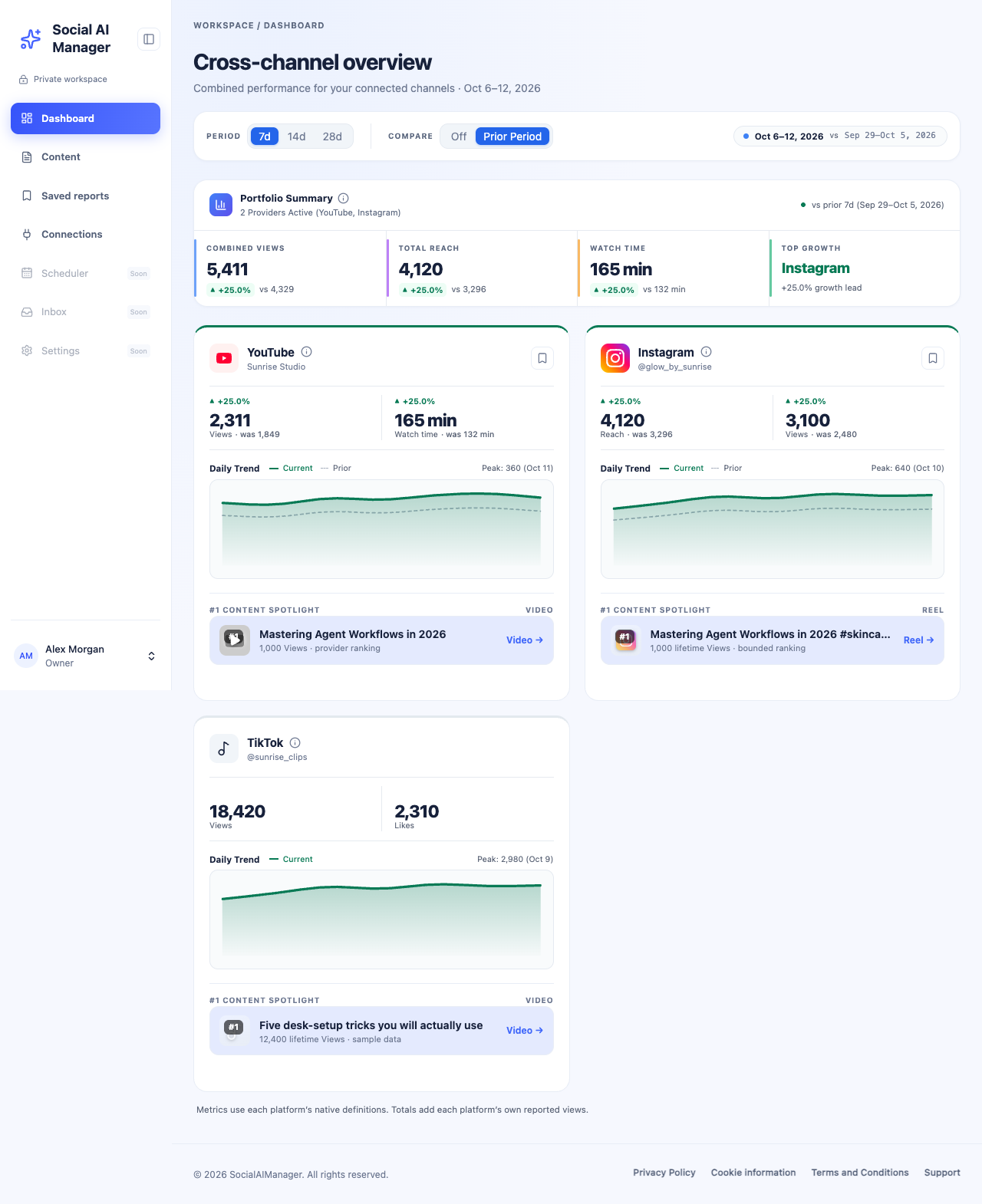
YouTube and Instagram are available today. TikTok is a planned fast-follow and cannot be connected yet; its card shows sample data.
Built strictly for creator clarity
Metrics come straight from the official YouTube API Services and Meta Graph API.
Multi-Channel Aggregation
Connect multiple YouTube channels and Instagram accounts across separate Google logins and Meta accounts in one workspace.
Strictly Read-Only
No write or publishing permissions are requested. Social AI Manager cannot post, edit metadata, delete content or reply to messages.
MCP-Powered Reports
Ask about your analytics conversationally in ChatGPT, backed by structured, schema-validated report tools.
Equal-Day Comparisons
Period comparisons aligned by date. Missing daily data is never silently treated as zero.
Content Studio
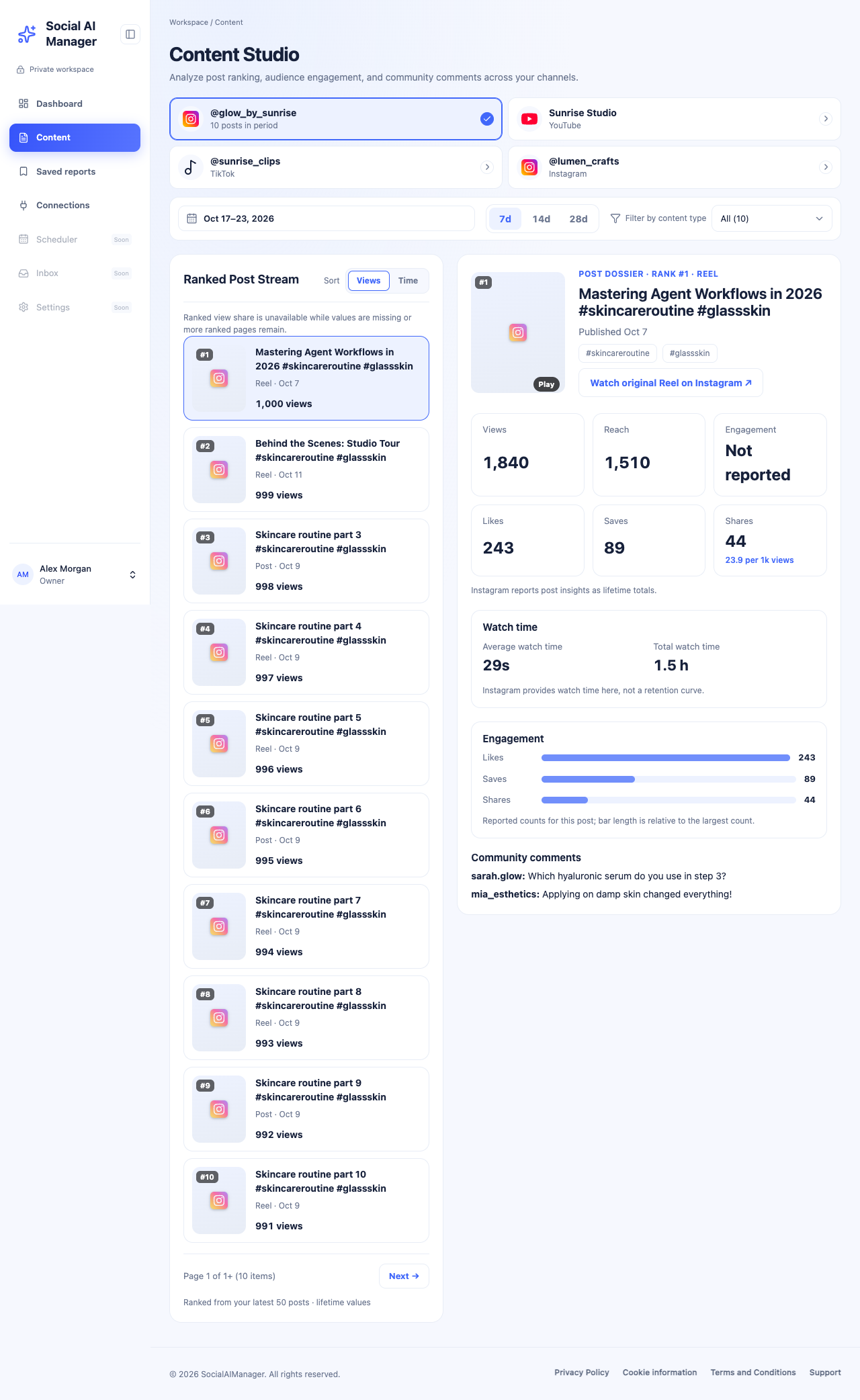
Rank your posts by views or time, open a post dossier, and read a bounded page of comments where the platform permits it.
Encrypted, Short-Lived Data
Credentials are encrypted at rest with AES-GCM. Cached analytics become eligible for removal after about 29 days. The Privacy Policy has the details.
Content Studio & Post Dossiers
Rank your recent posts, then open a dossier with lifetime metrics, engagement breakdowns, watch time and top-level comments.
- Ranked post stream sorted by views or time
- Provider ranking limits are stated plainly, never hidden
- Bounded comment inspection where comment access is granted
Multiple Accounts. Independent Disconnects.
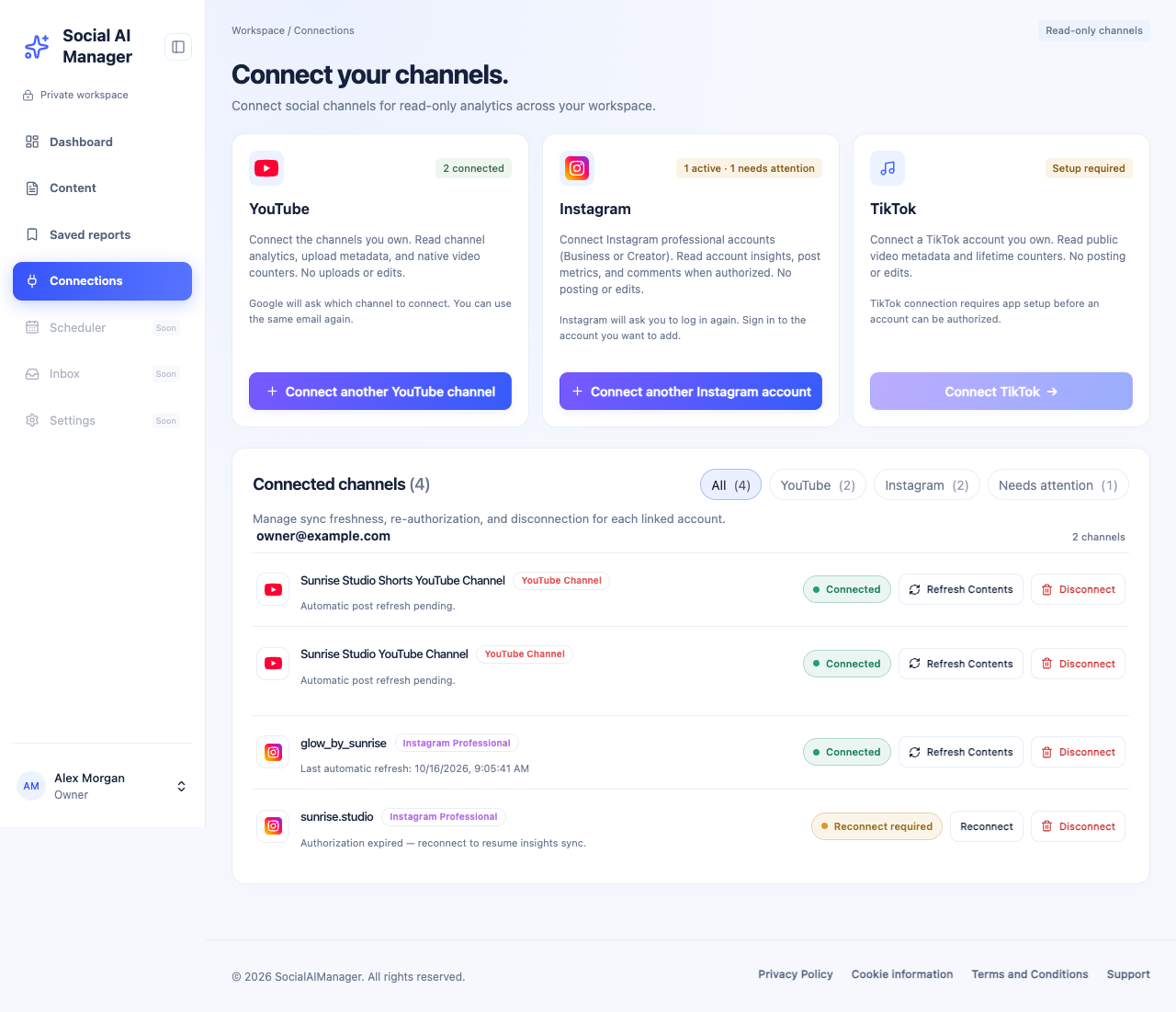
Link several YouTube channels and Instagram professional accounts. Each shows its connection state and can be refreshed or disconnected on its own.
- Per-account connection status and reconnect prompts
- Disconnect removes stored credentials and stops reads; access on the provider side may also need removing in your Google or Instagram settings (see the Privacy Policy)
- Unattended maintenance disconnects stale YouTube connections
Frequently Asked Questions
Access, data handling and supported platforms.
How do I gain access to Social AI Manager?
Social AI Manager is a private application. Signing in does not grant access on its own: access is limited to approved channel owners. If you have been invited, choose “Sign in with ChatGPT” to open your workspace.
Can Social AI Manager modify, post, or delete my content?
No. It requests read-only permissions through the official YouTube API Services and Meta Graph API, so it cannot create posts, edit titles, delete content or send messages.
Which platforms are supported?
YouTube channels (Google OAuth) and Instagram Business or Creator accounts (Meta Graph API) are supported. TikTok is still in setup and cannot be connected yet; the TikTok figures in the screenshots are sample data.
Are the screenshots real?
No. They show the real interface populated with synthetic sample data and made-up account names. The TikTok card is a composited mock-up, because TikTok cannot be connected yet.
How is my data stored and deleted?
OAuth tokens are encrypted at rest with AES-GCM. Analytics are cached briefly to avoid repeat provider calls, and stored records become eligible for removal after about 29 days. Disconnecting an account removes its stored credentials. The Privacy Policy is the authoritative description.
Who can I contact?
Account and technical help: support@socialaimanager.ai. Privacy questions and data deletion requests: privacy@socialaimanager.ai. General enquiries and partnerships: hello@socialaimanager.ai.